Running Jobs
Aegis Stack gives you three ways to execute a scheduled job outside its normal schedule: the Overseer dashboard, the CLI, and the REST API directly. All three record the run to the same execution history.
Overseer Dashboard
The Scheduler modal in the Overseer dashboard has two tabs.
Jobs Tab
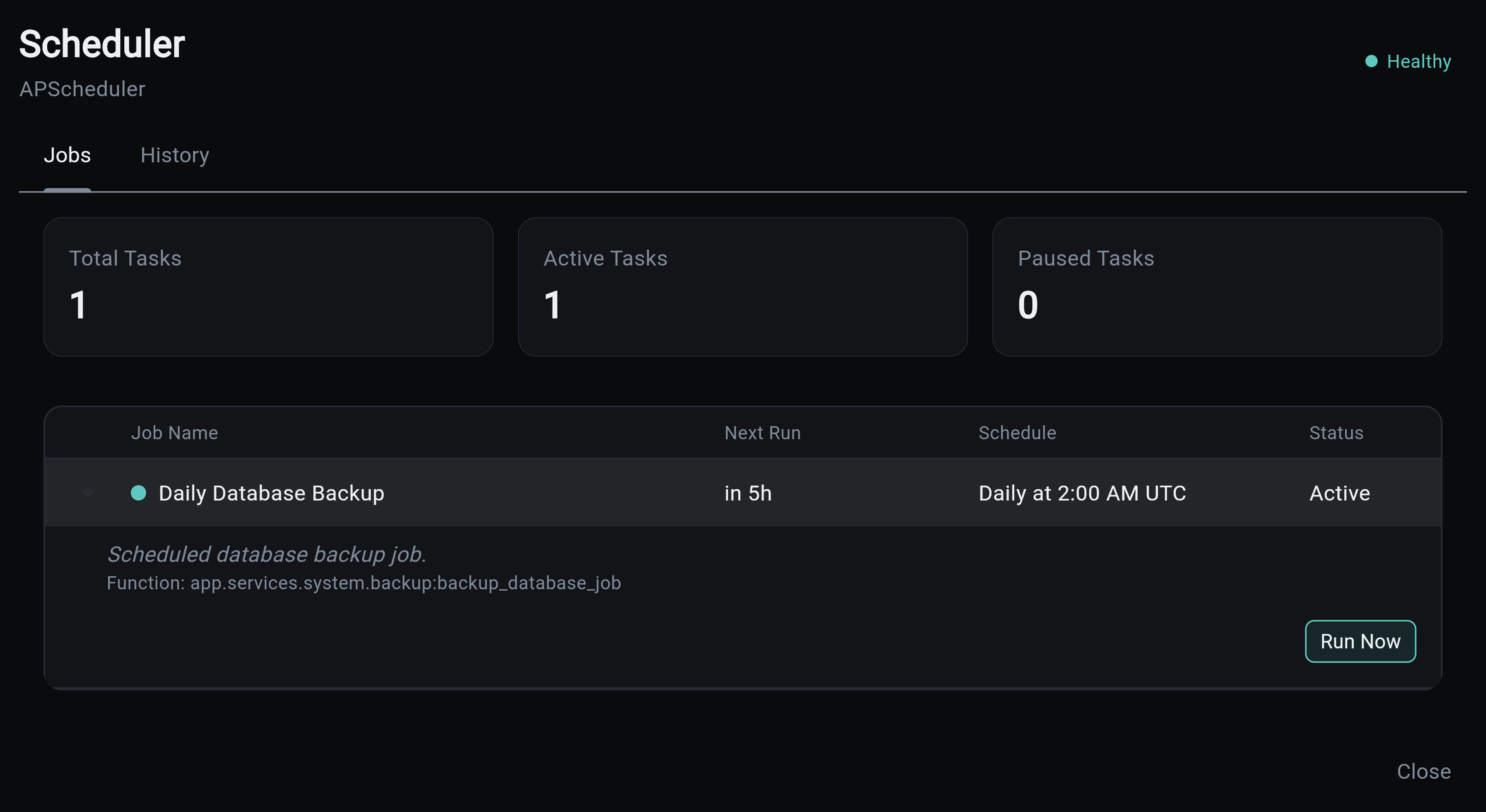
Shows the live job list. Each row displays the job name, next run time, schedule expression, and a status dot. Expanding a row reveals the backing function name and a Run Now button. Clicking Run Now opens a confirmation dialog, then triggers the job immediately via the API; a snackbar confirms the outcome.
History Tab
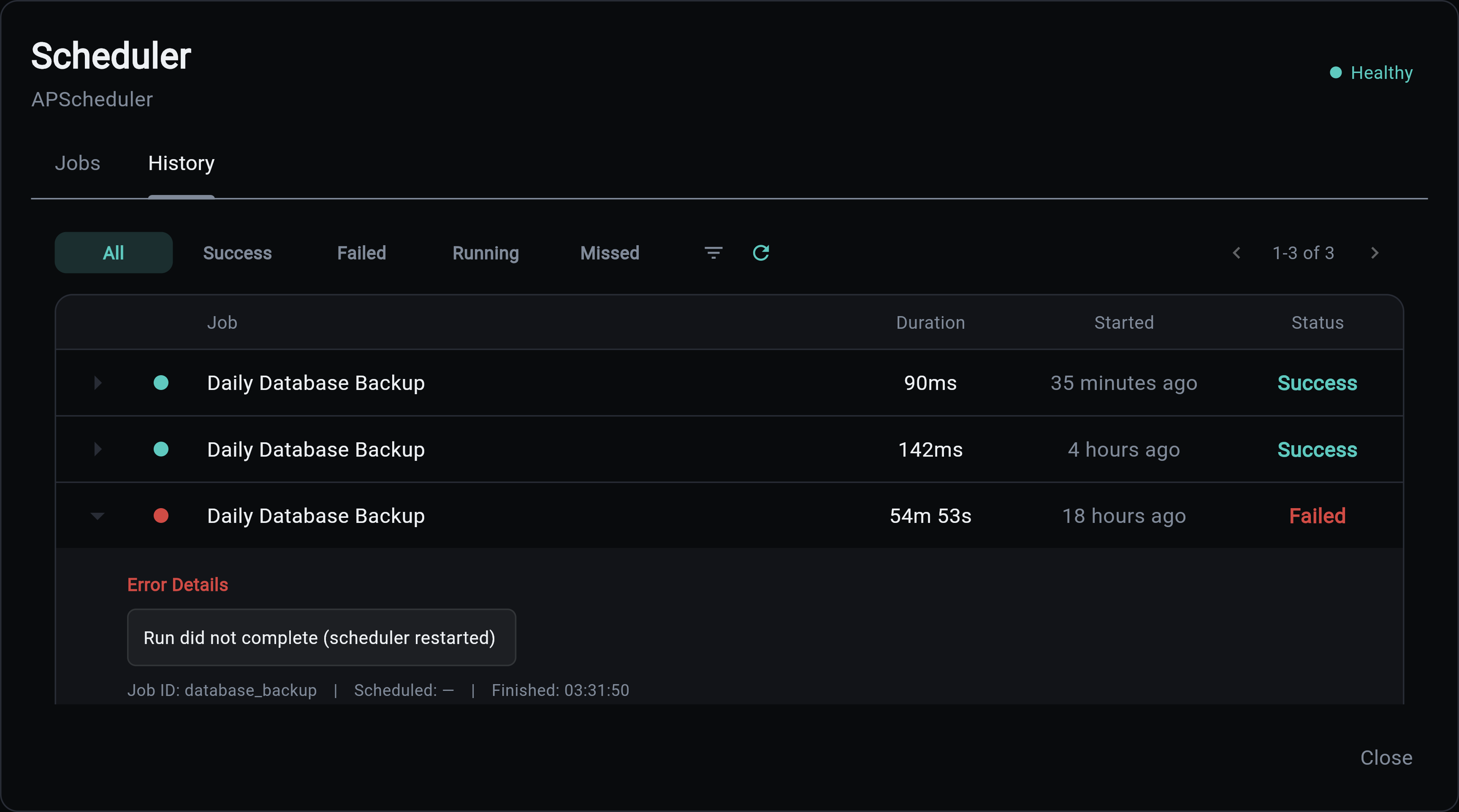
Shows paginated execution history with a status filter. Each row displays:
- Status dot (success, failed, running, missed)
- Job name
- Duration
- Relative start time ("2 minutes ago")
Expanding a row shows the full job ID, the scheduled run time, and the finished time. Failed rows also surface the error message.
CLI
The generated tasks CLI can trigger jobs and inspect their history without the backend running. With a worker in the project, tasks trigger hands the job to the worker, like the API; without one, it runs the job in-process and waits for the result, so it composes with scripts and CI.
# Run a job now (on the worker, if there is one)
my-app tasks trigger database_backup

# Aggregate stats for one job
my-app tasks stats database_backup

# Recent execution history
my-app tasks history --job database_backup --limit 20
See the Scheduler CLI for the full command reference.
REST API
All endpoints require admin authentication.
Trigger a Job
Repeats the job's stored call now, and records it to job_execution the same way a scheduled run is. With a worker in the project that call is an enqueue, so the job runs on the worker, never inside the webserver; without one, it runs in the backend process. The response's ran_in says which ("worker" or "webserver").
Responses:
| Status | Meaning |
|---|---|
202 Accepted |
Job handed to the worker, or started in the background |
404 Not Found |
No job with that ID exists |
409 Conflict |
An instance of this job is already running |
curl -X POST \
  -H "Authorization: Bearer $TOKEN" \
  "http://localhost:8000/api/v1/scheduler/jobs/database_backup/run"
Fetch Execution History
Returns paginated execution records across all jobs.
Query parameters: status, job_id, order (asc/desc), offset, limit (max 100).
curl -H "Authorization: Bearer $TOKEN" \
  "http://localhost:8000/api/v1/scheduler/executions?status=failed&limit=20"
Job Stats
Returns aggregate stats for a single job.
curl -H "Authorization: Bearer $TOKEN" \
  "http://localhost:8000/api/v1/scheduler/jobs/database_backup/stats"
Response:
See Also
- Database Persistence - Schema, retention policy, and stale row cleanup
- Examples - Real-world scheduling patterns
- CLI Interface - Command-line job management
- Scheduler Component - Scheduler overview