Load Testing Extra
Built-in performance testing capabilities for the worker component.
Extra Component
Adds a dedicated load_test queue with 50 concurrent jobs for performance testing.
What You Get
- Dedicated load test queue - Isolated from production workloads
- Performance benchmarking - CPU, I/O, and memory tests
- CLI commands - Quick testing interface
- API endpoints - Programmatic testing
- Real-time dashboard - SSE-based live completion tracking (all backends)
Quick Usage
# CPU testing
full-stack load-test cpu --tasks 50

# I/O testing
full-stack load-test io --tasks 100

# Memory testing
full-stack load-test memory --tasks 200

# View results
full-stack load-test results <task_id>
See It In Action
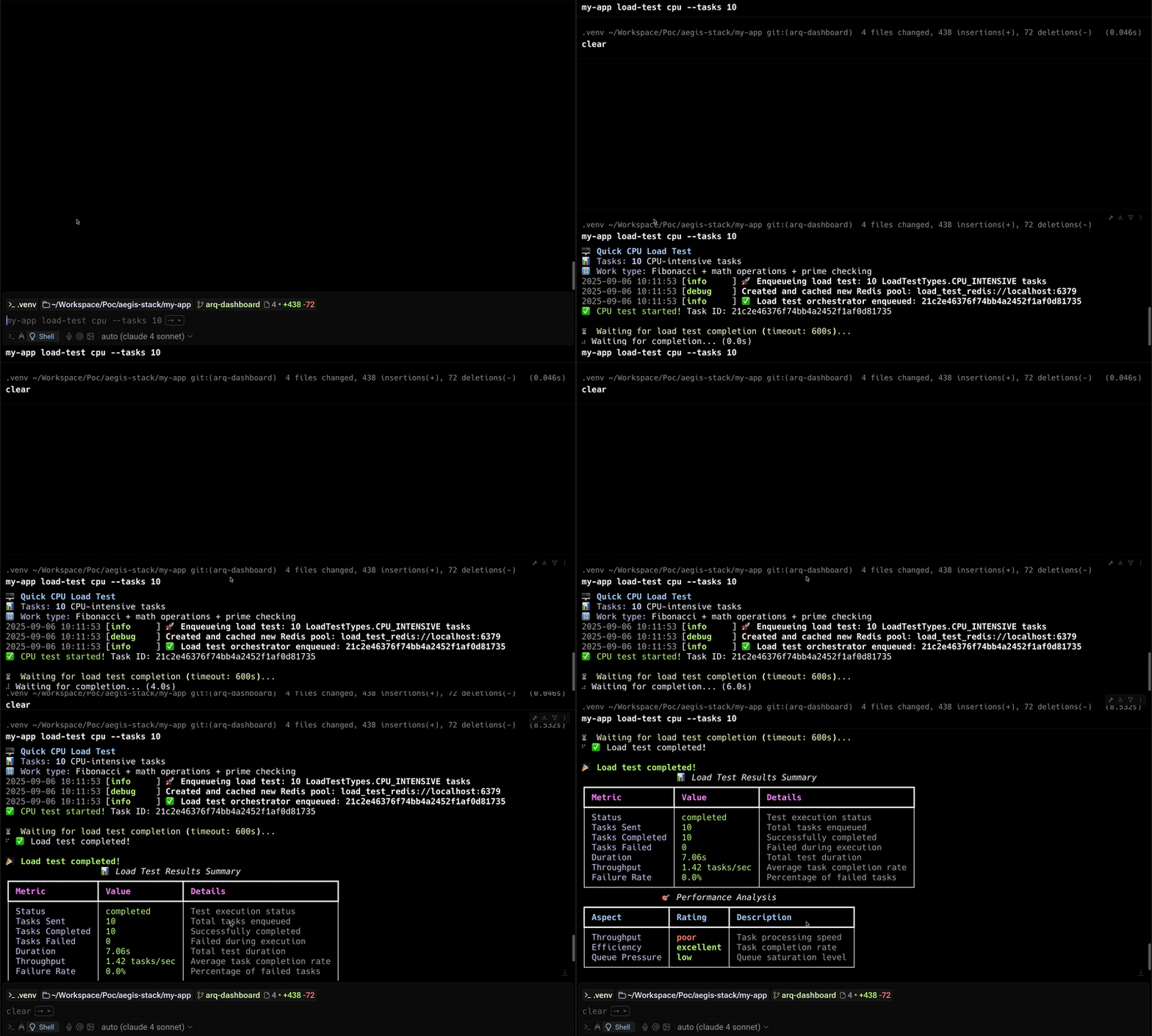
About This Demo
This GIF shows CPU-intensive tasks being processed. Since CPU tasks don't run async by default, you'll notice the recommendation to increase worker count for better throughput.
Had we run I/O or memory tests instead, they would demonstrate much faster async processing with fewer workers needed.
Architecture
The load testing extra adds one additional queue:
| Queue | Concurrency | Purpose |
|---|---|---|
| load_test | 50 jobs | Performance testing and benchmarking |
Isolation Required
Never use the load_test queue for production tasks.
Running Workers
# Run both system and load_test queues together
dramatiq app.components.worker.broker \
  app.components.worker.queues.system \
  app.components.worker.queues.load_test \
  --queues system load_test

# With Docker
docker compose up worker
Dramatiq queue isolation
Specify --queues load_test to run a worker that processes only load test tasks, keeping CPU-intensive benchmark work away from your system queue.
How a Run Works
The process that starts a run sends its tasks: the CLI, the API, or Overseer's server. No job on the worker drives the test, so nothing competes with the load it sends or holds a slot in the queue it measures, and a long run is never redelivered and sent twice.
- The run is recorded in Redis (
load_test:worker:<test id>): its configuration and start time. - Its tasks are enqueued in batches through the backend's own
enqueue_task, with--delaybetween batches. Each batch's job ids are added to the run. - Progress is read on demand from those tasks' task-history records: how many finished, how many failed, and when the last one finished. A run is finished once every task was sent and every sent task has finished.
Every backend (arq, TaskIQ, Dramatiq) takes the same path, so a run started anywhere reads the same from load-test results <test id>, GET /api/v1/tasks/load-test-result/<test id> and Overseer.
Waiting is optional
load-test run waits up to --timeout seconds for the result. Past that it stops waiting, not the test: the tasks keep running, and load-test results <test id> reads them later.
Overseer
Worker > Load tests starts a run (type, tasks, batch, delay, queue) and lists the recent ones, whoever started them, with their progress streamed while the page is open. A run started from the page is capped at 10,000 tasks; the CLI takes more.
Test Types
- CPU: Fibonacci calculations, computational work
- I/O: Simulated network delays, async operations
- Memory: Large data structures, allocation patterns
Dashboard SSE Monitoring
All backends publish task lifecycle events to Redis Streams via EventPublishMiddleware. The dashboard subscribes to these events via Server-Sent Events (SSE) and displays real-time completion:
- Tasks enqueued shows immediately in the queue depth counter
- Completions decrement the counter in real time
- Failed tasks are highlighted separately
- The load test panel shows throughput and failure rate as results arrive
This works identically across arq, TaskIQ, and Dramatiq backends.
Results
Tests return performance metrics and analysis:
{
  "throughput": 22.03,
  "failure_rate_percent": 0.2,
  "performance_rating": "good",
  "recommendations": ["Consider increasing batch size"]
}
Best Practices
- Start with 100 tasks and scale up
- Monitor resources during tests
- Use dedicated load_test queue only
- Document baseline performance