Secrets
Every app that talks to the outside world runs on credentials: an OpenAI key, a Stripe key, an email provider's key, a Twilio token. Out of the box they live in .env. That works, but changing one means editing a file on the server and restarting, and nothing tells you which keys the app actually needs, which are set, or whether the one you pasted works.
The secrets component is a small credential store built into your app, the way you would store secrets in GitHub's repository settings or a password manager, but for the keys your app reads:
- One place for every key. Each credential the app uses is listed, grouped by what reads it (AI, email, payments), with where it is set and its last four characters.
- Set while the app runs. Paste a key in the Overseer dashboard, the CLI or the API, and it takes effect without a restart or a deploy.
- Write-only. Once saved, a key is never shown again, only its last four characters, the way a GitHub secret works.
- Checked when you paste it. The app makes one cheap call to the provider first, so a typo or a revoked key fails right then, not days later when a job first uses it.
- Needed vs. optional. Keys the app actually depends on (the AI provider you chose, your email provider) read Missing when unset. Providers you could add read Not used, so a long list of unset keys does not look like a long list of problems.
- Encrypted at rest. Keys are stored encrypted in your database, with a key of their own, and every change is audited (who and when, never the value).
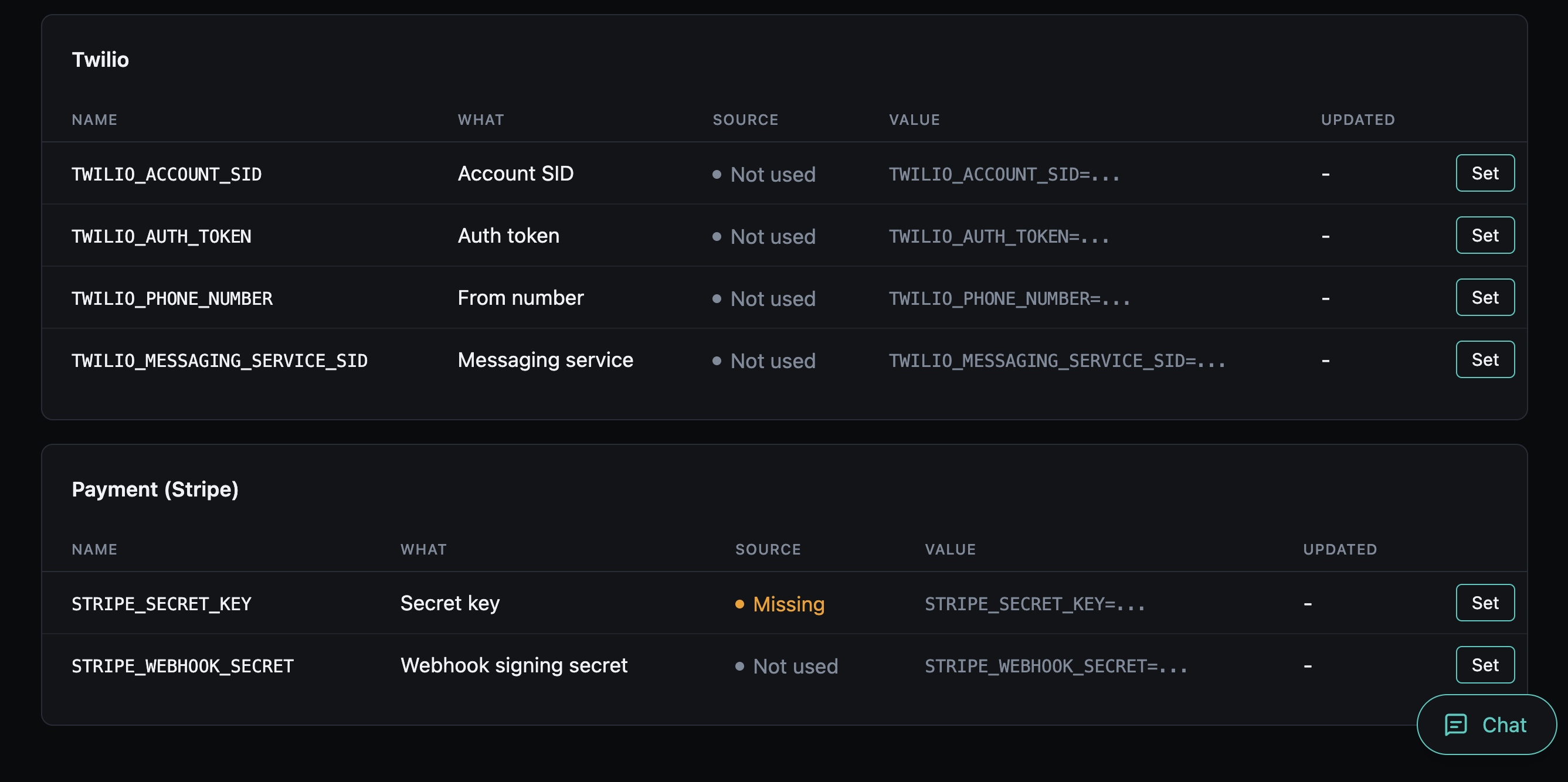
.env keeps working alongside it and always wins: a key set there shows as read-only, so an existing deployment behaves exactly as before.
Today the store lives in your app's database. The component is built so that external secret managers (HashiCorp Vault, a cloud secret manager) can take its place later, behind the same screens and commands (see Backends).
Adding it
aegis add secrets             # the database backend, the default
aegis add secrets[database]   # the same, spelled out
The component needs the database, and aegis add brings it along if the project has none. Adding it creates the table, runs its migration, and writes an ENCRYPTION_KEY to .env.
In code, every credential is read through one interface that every project has, with or without this component (app.core.secrets): await secrets.get("RESEND_API_KEY"). The component makes the values behind that call editable.
The bundled services (email and SMS, payments, the AI providers, voice, embeddings and sign-in) read their keys through it, so a key saved here is used on their next call: the next email sent, the next checkout, the next chat turn.
Your own settings
A setting you add reads exactly as before (settings.SENDGRID_API_KEY), and nothing here is required. To see it on the Secrets page, type it as a credential:
It is listed with where it is set and its last four characters, read-only with "Set it in .env": code that reads settings only ever sees .env. To set it here too, read it with await secrets.get("SENDGRID_API_KEY") and declare it beside that code (see the interface).
ENCRYPTION_KEY
Stored keys are encrypted with ENCRYPTION_KEY, a separate key from SECRET_KEY. aegis init and aegis add generate one, and leave an existing one alone.
- Never change it once keys are stored. A different key cannot decrypt them. Reading one then fails with "will not decrypt", and the fix is to set that key again.
- There is no fallback to
SECRET_KEY. Rotating the session key, which you should be free to do, would otherwise strand every stored credential. - Without it, the store is off. Writes refuse, the health check turns amber and names the missing variable, and
.envkeeps working as before.
Where to go next
- Setting Keys: the Overseer page, the Flet dashboard, the CLI and the API.
- Needed & Verified: which keys count as needed, and how each one is checked with its provider.
- How It Works: how a value is resolved, what is stored, backends and health.