Illiana
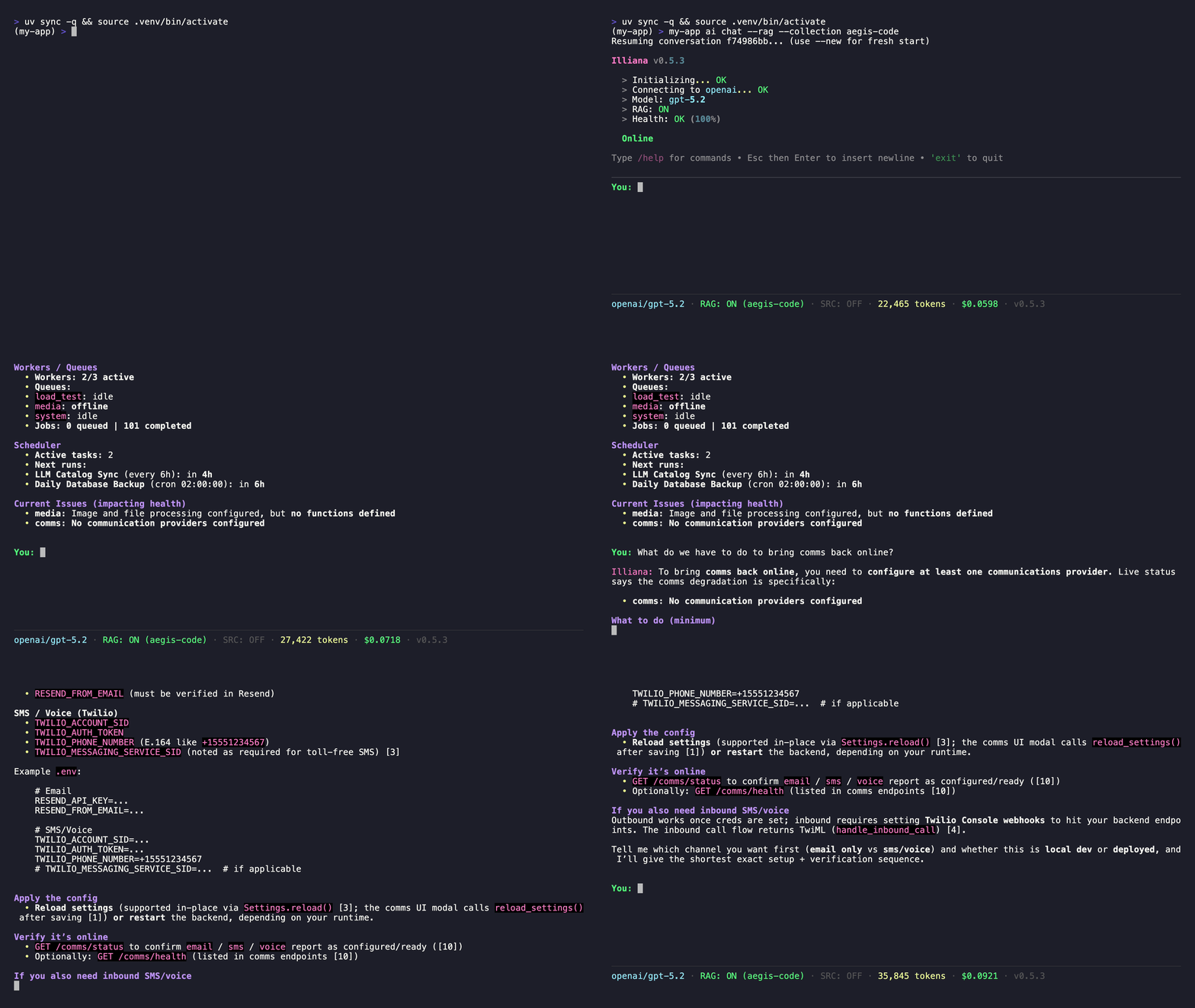
Illiana is the conversational AI interface that ships with every AI-enabled Aegis Stack project. She is not a generic chatbot. She has live awareness of your running system through context injection, and she can search your codebase when RAG is enabled.
She is not required to use Aegis Stack, and nothing in the system depends on her being present. When enabled, she becomes another way to understand what your application is doing and why, alongside the CLI and Overseer.
What Makes Her Different
Illiana answers from what your system is actually doing right now, not what it could theoretically do. She reads it when asked, through her tools, rather than carrying it in every prompt: her system prompt holds nothing live, so a provider's prompt cache serves it turn to turn.
| Where | What She Knows | Example Questions |
|---|---|---|
| Ontology tool | A part's health check, the errors it owns, the AI service's spend by window (today, 7 days, all time) | "Is my database healthy?" "How much have I spent today?" |
| Health tool | Every component's status (admins) | "How is the system doing?" |
| Catalog tool | Available models, prices, context windows | "What's the cheapest model with vision?" |
| Plugins tool | The plugins this app has, and those it could add from the directory at aegis-stack.io, with what each is, its downloads, stars and the commands that add it (admins) | "What plugins could I add for scraping?" |
| RAG | Your codebase (when indexed) | "How does auth work in this project?" |
While something is wrong, one line on her current message says what ("comms partly set up, ollama cold"), so "is anything wrong?" needs no tool call and the line never sits in her history.
graph TB
    subgraph "AI Service"
        Illiana["Illiana<br/>System-Aware AI Assistant"]

        subgraph "Interfaces"
            CLI["CLI Interface<br/>ai chat, llm, rag"]
            API["REST API<br/>/ai, /llm, /rag, /voice"]
        end

        subgraph "Capabilities"
            Catalog["LLM Catalog<br/>~2000 models"]
            RAG["RAG Service<br/>ChromaDB + Embeddings"]
            Voice["Voice<br/>TTS + STT"]
            Usage["Cost Tracking<br/>Usage Analytics"]
        end

        subgraph "Live Data, Asked For"
            Health[Ontology and Health Tools]
            UsageCtx[Spend by Window]
            RAGCtx[RAG Context]
            CatalogCtx[Catalog Tool]
        end

        Providers["Providers<br/>OpenAI, Anthropic, Google<br/>Groq, Mistral, Cohere<br/>Ollama, PUBLIC"]
        Conv["Conversations<br/>Memory / SQLite / PostgreSQL"]
    end

    Backend["Backend Component<br/>FastAPI"]

    Illiana --> CLI
    Illiana --> API
    Illiana --> Providers
    Illiana --> Conv
    Catalog --> Illiana
    RAG --> Illiana
    Usage --> Illiana
    Health --> Illiana
    UsageCtx --> Illiana
    RAGCtx --> Illiana
    CatalogCtx --> Illiana
    API --> Backend
Getting Started
# Generate a project with AI
aegis init my-app --services "ai[sqlite,rag]"
cd my-app && uv sync && source .venv/bin/activate

# Start chatting
my-app ai chat
Illiana v0.6.4
Provider: public | Model: auto

You: What can you tell me about my system?
Illiana: I can see your system is running with...
With Codebase Context
Index your code so Illiana can reference specific files and line numbers:
# Index your codebase
my-app rag index ./app --collection code --extensions .py

# Chat with RAG enabled
my-app ai chat --rag --collection code --top-k 20 --sources
Now she answers from your actual code instead of generic knowledge:
You: How does the auth service validate tokens?
Illiana: Based on your codebase, token validation happens in
app/services/auth/service.py [1]. The validate_token() method...

Sources:
[1] app/services/auth/service.py:42
[2] app/components/backend/api/auth/router.py:15
Slash Commands
During interactive chat, use slash commands for quick actions:
| Command | Description |
|---|---|
/help |
Show available commands |
/model [name] |
Show current model or switch to a new one |
/status |
Show current configuration |
/new |
Start a new conversation |
/rag [off\|collection] |
Toggle RAG mode or select collection |
/sources [enable\|disable] |
Toggle source references in output |
/clear |
Clear the screen |
/exit |
Exit the chat session |
Switching Models Mid-Conversation
You: /model gpt-4o
✓ Switched to OpenAI/gpt-4o

You: /model claude-sonnet-4-20250514
✓ Switched to Anthropic/claude-sonnet-4-20250514
Tab completion is available for model names (populated from Ollama and configured cloud providers).
RAG Controls
You: /rag code
✓ RAG enabled with collection: code

You: /sources enable
✓ Source references enabled

You: /rag off
RAG disabled
Context and Live Data
Illiana's system prompt is her persona, the model in force, her saved memory and her memory modules (the app map), plus retrieved code when RAG is on. Nothing in it changes turn to turn. The app map names each part with what it is for and how it is built (each option as chosen, and what else it could be: backend taskiq (of arq, taskiq, dramatiq)), the scheduled jobs with whose they are and when they run, the tables and the changes that can be proposed. A job reaches the parts its code imports, so asking about the database finds the job that backs it up.
Live data, asked for
Sources: app/services/system/node_now.py, app/services/ai/domains/llm/catalog.py
Asking the ontology tool about a part returns its now beside its structure: its health check (trimmed to what fits a prompt; omitted names the rest), the error issues it owns (latest first, with a total) and, for the AI service, what it spent today, over the last 7 days and in all, with when each was read. Beside it, findings: what the part's code breaks of the service standard, the same findings Overseer's map shows (each rule, how bad, why, the file and line, what to do), so she can say how a part is built, not only how it is doing. The part itself carries options: what else it could be, generated from the aegis CLI's own declarations (the AI backend's memory, sqlite and postgres, auth's levels, the worker's backends), each with its default, the choice this stack was generated with and what each choice means. Asked whether the AI service needs a database, she can say it does not: memory is the default, and this stack chose sqlite. The health tool gives every component at once, the catalog tool the models on offer with their prices, and the plugins tool what this app has installed and what the public directory lists (the first hundred, with how many match; its search text narrows them). Each answer is a frozen Pydantic model (NodeNow, CatalogAnswer) that rejects fields it does not declare.
What is wrong right now
node_now.right_now() reads every check that is not healthy; while there is one, a single line rides her current message, never her system prompt or her history.
RAG Context
Source: app/services/ai/rag_context.py
When RAG is enabled, search results are formatted as markdown with file names, line numbers, and syntax highlighting. Illiana is instructed to answer from this code, not generic knowledge.
Prompt Assembly
Source: app/services/ai/domains/chat/prompts.py
Her persona is the assistant agent's system_prompt, seeded with the whole text and edited like any agent's (see Agents). build_system_prompt() appends the model in force, retrieved code and saved memory after it.
Chat Modes
Single Message
Interactive Session
Features:
- Conversation memory (context maintained during session)
- Markdown rendering in terminal
- Streaming responses
- Slash commands
- Tab completion for models and collections
With RAG
my-app ai chat --rag --collection code --top-k 20 --sources \
  "How does the scheduler component work?"
| Flag | Description |
|---|---|
--rag |
Enable RAG context |
--collection |
Collection to search |
--top-k |
Number of search results to include |
--sources |
Show source file references after response |
API Access
Illiana is also accessible via the REST API:
# Chat
curl -X POST http://localhost:8000/api/v1/ai/chat \
  -H "Content-Type: application/json" \
  -d '{"message": "What is the health of my system?"}'

# Stream
curl -X POST http://localhost:8000/api/v1/ai/chat/stream \
  -H "Content-Type: application/json" \
  -d '{"message": "Explain the auth service"}' \
  --no-buffer
See API Reference for full endpoint documentation.
Configuration
Illiana uses the same configuration as the AI service:
# .env
AI_ENABLED=true
AI_PROVIDER=public      # or openai, anthropic, groq, ollama, etc.
AI_MODEL=auto
AI_TEMPERATURE=0.7
AI_MAX_TOKENS=1000
Switch models at any time:
Next Steps:
- RAG - Index your codebase for Illiana to search
- LLM Catalog - Browse and switch models
- Provider Setup - Configure AI providers
- CLI Commands - Complete CLI reference