Importing and Connections
Two ways to get data in. Neither is required to use the service, and file import needs no third-party anything.
Files
| Format | Notes |
|---|---|
| CSV | profile-driven: a source's column shape is a profile, not a code change |
| OFX / QFX | the bank download format |
| QIF | Quicken's older export |
Import is a two-step: preview shows what would happen (how many rows are new, how many are already there, which accounts and categories would be created) and only then does the import run. A Quicken tree can carry hundreds of new categories, and seeing that before it lands is the difference between an import and a mess.
A bank or card statement names no account, so the import asks which account it belongs to before previewing, and the review names both the detected layout and the target: "Chase Credit Card layout into Amex". A statement aimed at the wrong account is caught there, not in the register afterwards. Multi-account exports (Quicken) route themselves by the account column.
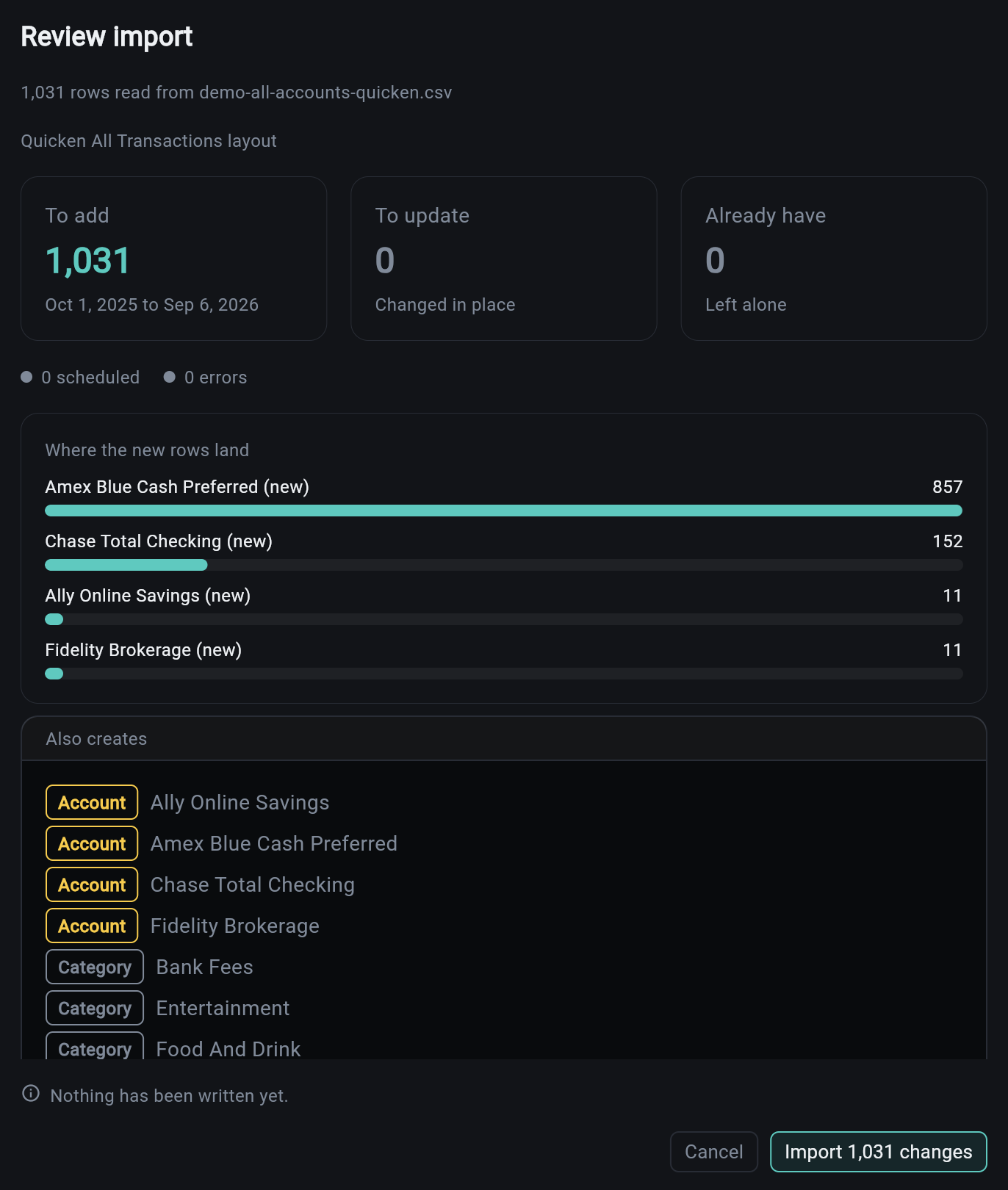
Every import is a batch. The batch keeps its rows, so you can look at what a given file actually did rather than reasoning backwards from the register.
Re-importing is safe by design. Rows carry a dedupe identity, so an overlapping statement does not double your spending.
Connections
Provider links ship behind their own flags, and the service works fully without them.
| Provider | Covers |
|---|---|
| Plaid | banks and cards |
| SnapTrade | brokerages |
A connection syncs on a schedule and on demand. Connections that need attention (an expired link, a re-authentication) are reported by the service health check and surfaced in the dashboard, because a silently stale connection is worse than an obviously broken one.
Plaid is sandbox-only here
The template is wired and tested against Plaid's sandbox. Production credentials are yours to supply.
Demo Data
finance seed-demo fills a project with a plausible ledger: accounts, a spending history, bills, a budget. It is the fastest way to see every tab populated, and it clears cleanly. See CLI Commands.
Related
| Topic | Description |
|---|---|
| Accounts and the Register | where imported rows land |
| Investments | custodian activity files |
| CLI Commands | import, sync, seed-demo |