Cloud accounts and keys
Making a server needs a cloud provider's token; putting your own domain on it needs your DNS provider's keys. A server you already have needs neither, only SSH.
The keys
| Provider | For | Variable | Made at | Needs |
|---|---|---|---|---|
| Hetzner Cloud | Servers | HCLOUD_TOKEN |
console.hetzner.cloud/projects | Read & Write |
| DigitalOcean | Servers | DIGITALOCEAN_TOKEN |
cloud.digitalocean.com/account/api/tokens | The scopes below |
| Porkbun | DNS | PORKBUN_API_KEY, PORKBUN_SECRET_KEY |
porkbun.com/account/api | API access turned on for the domain (its details page) |
| Cloudflare | DNS | CLOUDFLARE_API_TOKEN |
dash.cloudflare.com/profile/api-tokens | Zone:Zone:Read, Zone:DNS:Edit on the zone that owns the name |
A DigitalOcean token is a custom-scoped one, with:
actions:read   regions:read   sizes:read
droplet:create droplet:read   droplet:delete
firewall:create firewall:read firewall:delete
ssh_key:create ssh_key:read   ssh_key:delete
tag:create     tag:read
image:read     snapshot:read  vpc:read   billing:read
droplet:read lets Overseer list what the account runs, and billing:read
this month's spend; without one, the page says which to add.
A Hetzner token can create and delete every server in its project, so make one in a project dedicated to this app.
Where to set them
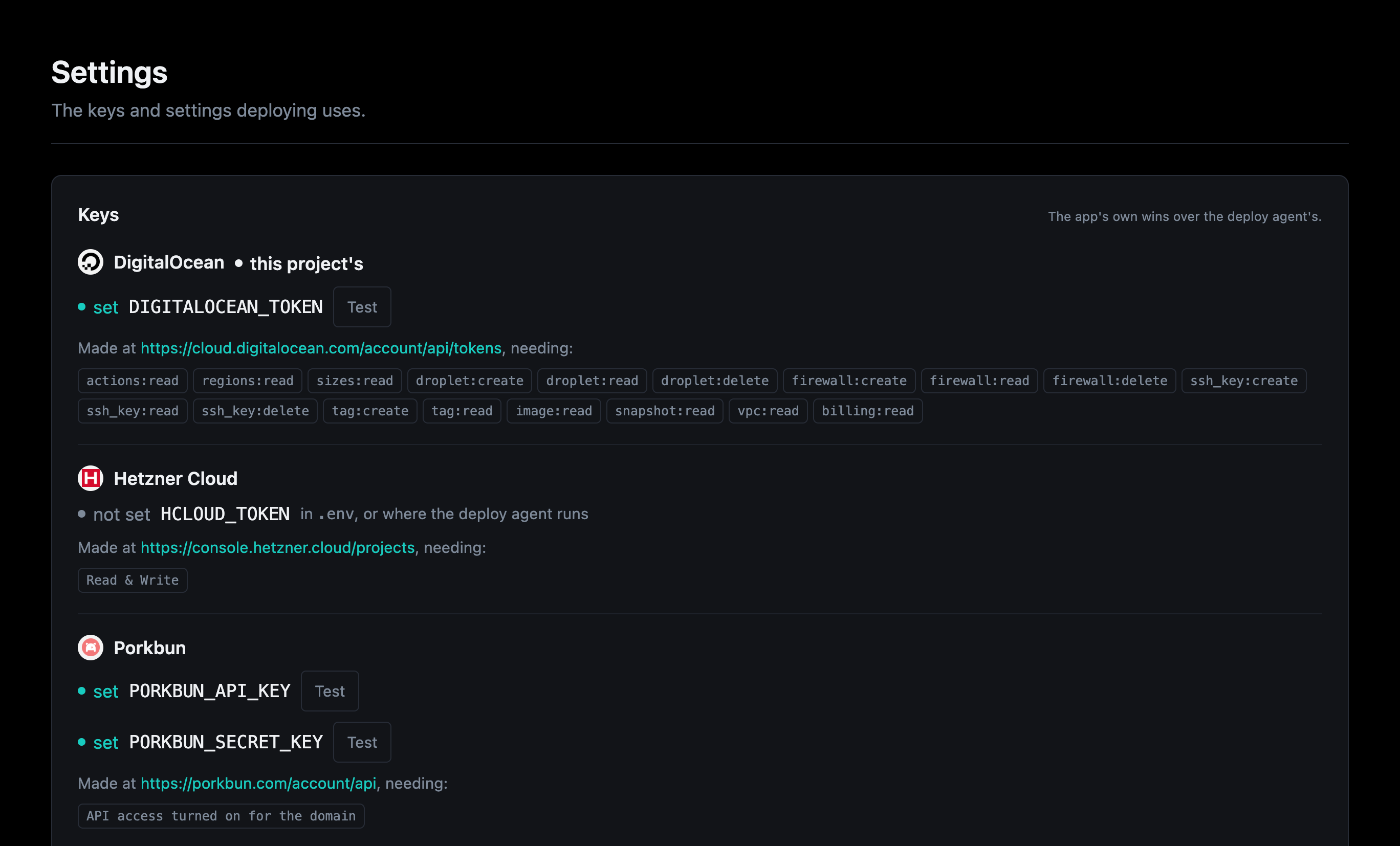
- Overseer > Deployments > Settings: each key beside where the provider makes it and what it needs, with Test to check it and Replace to change it. The keys this project deploys with are marked "this project's".
- Overseer > Secrets, with the secrets component.
.env.- The environment of the shell or runner: an exported variable where the agent or the CLI runs works too (for CI, say).
The app's own (Settings, Secrets, .env) wins over one exported where the
agent runs. The CLI reads them from the environment at call time.
How a token is handled
A token is a secret like the app's other credentials:
- Overseer sends it with the one request that needs it (the provider's sizes and regions, a new server, a destroy), beside its arguments rather than in them, so it is never audited or shown.
- The agent hands it to the command in its environment, masks it in the
output, and keeps it nowhere. A DNS provider's keys travel the same way with
a new server on a domain and its destroy; only a DNS provider's own
variables are accepted (anything else, such as
PATH, is refused). - The CLI never stores or prints it (at most the last four characters are shown).
Making and removing a server
aegis deploy-provision                                  # Hetzner, cx23 in nbg1
aegis deploy-provision --provider digitalocean          # s-1vcpu-2gb in tor1
aegis deploy-provision --size cx33 --region fsn1
aegis deploy-provision --domain app.example.com --dns porkbun
aegis deploy-destroy
The server boots with the project's scripts/server-setup.sh as cloud-init, so
it arrives with Docker and the firewall ready. On DigitalOcean the droplet also
gets a cloud firewall allowing only SSH, HTTP and HTTPS in: Docker-published
ports bypass the server's own ufw, so the firewall outside the droplet is the
one that holds.
Every resource is recorded under provision: in .aegis/deploy.yml the moment
it exists. If a later step fails, the command lists what was created and offers
to delete it; run it again to resume instead. aegis deploy-destroy deletes
the server, its DNS record, its cloud firewall and the SSH key provisioning
uploaded, after you type the server's name to confirm.
All options: aegis deploy-provision,
aegis deploy-destroy.